
Google Shopping Feed
List your products on Google Shopping with automated XML feeds
Made by Orbit Commerce, built, supported and billed by Orbit
Opens your Orbit dashboard to confirm.
No card needed for the trial. If you do not subscribe when it ends, you are not charged and it goes back to the free plan.
No Orbit store yet? Start for free
- Free trial
- 14 days
- on paid plans
- After install
- Google Shopping Feed
- in your dashboard menu
- Listed
- Feb 2026
- version 1.0.0
About
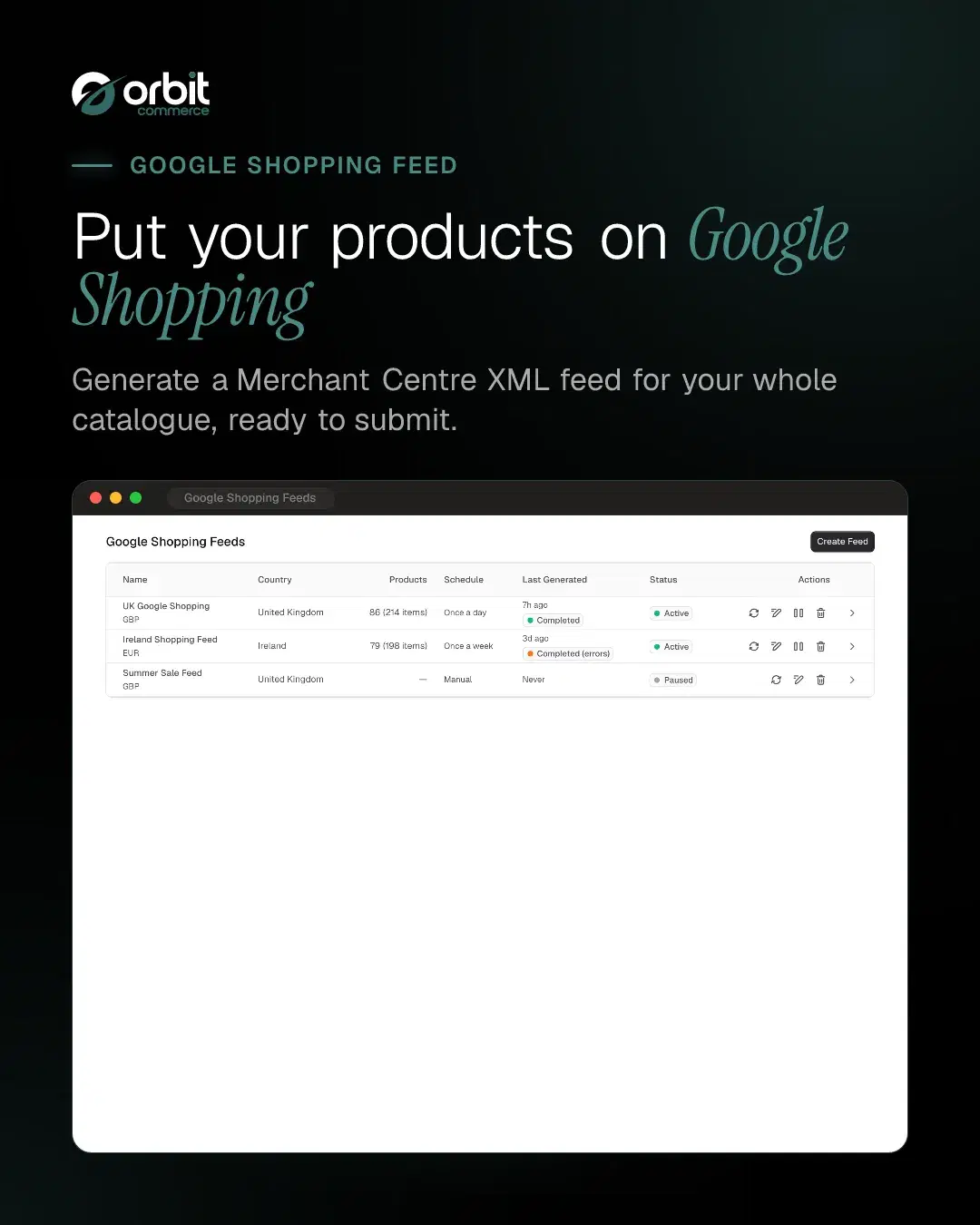
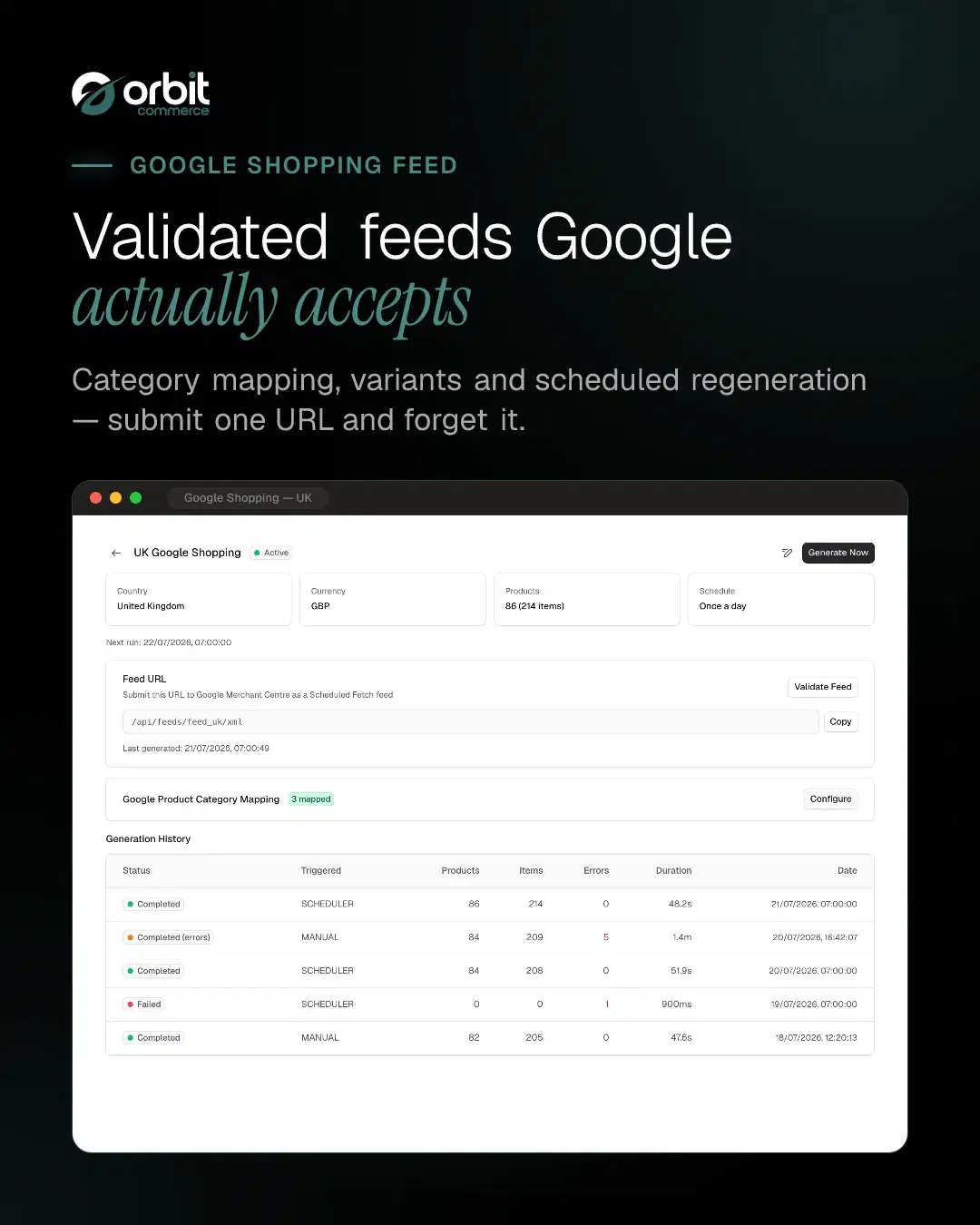
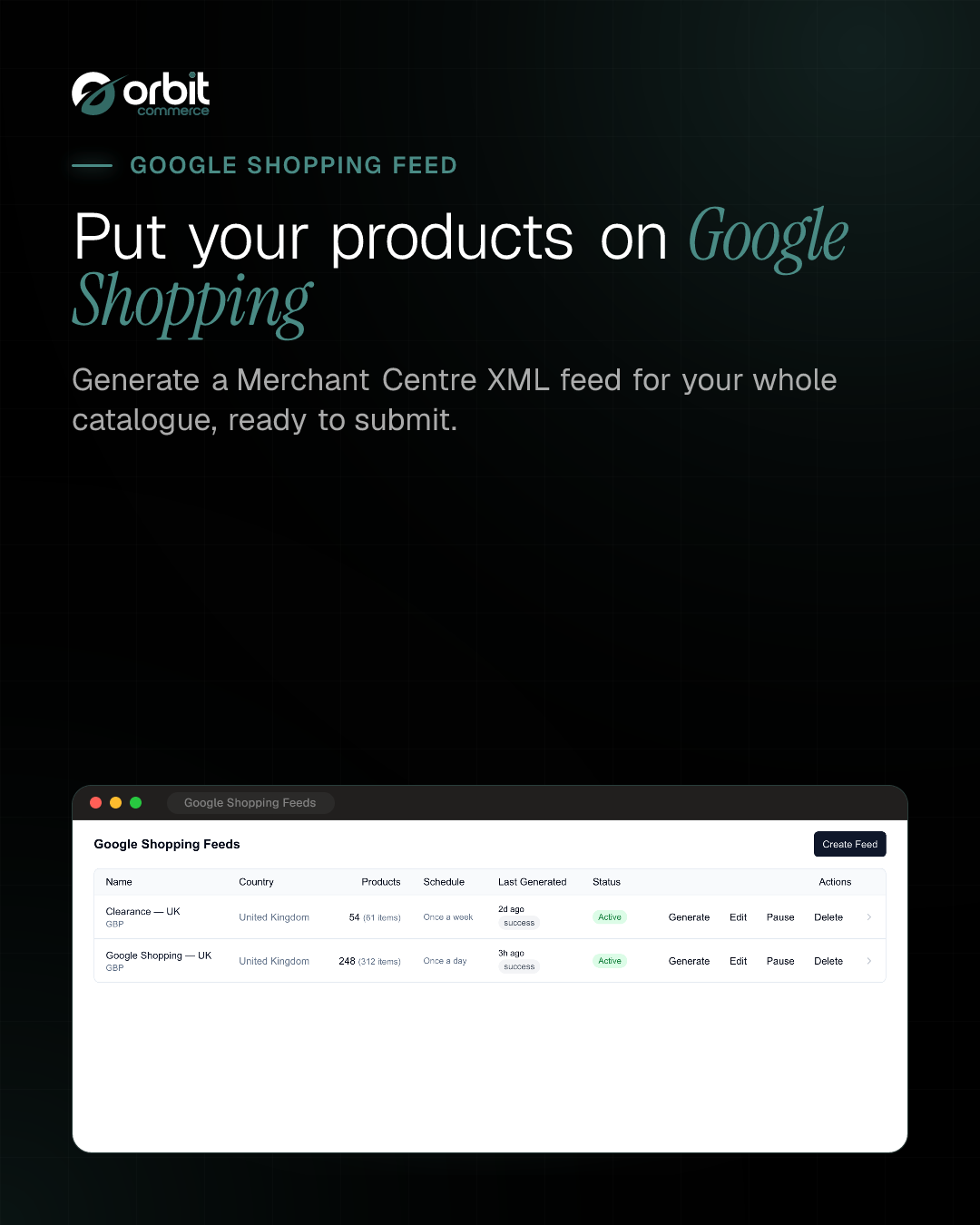
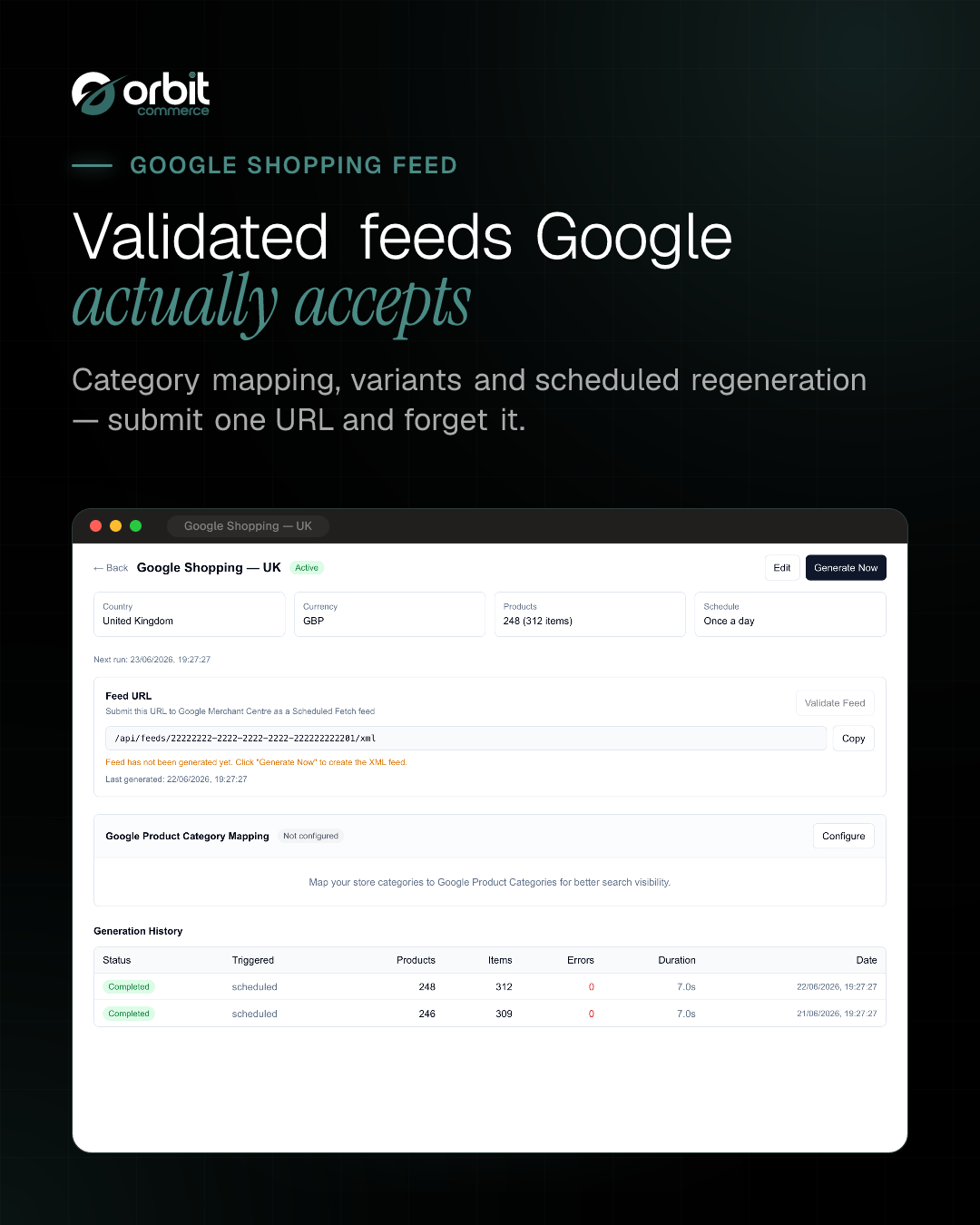
Generate Google Merchant Centre XML feeds for Google Shopping. Products are automatically formatted as RSS 2.0 with the Google Shopping namespace, ready for scheduled fetch by Google Merchant Centre. Supports variant expansion, category mapping and feed validation.
What you get
- Google Merchant Centre XML feed
- RSS 2.0 with Google Shopping namespace
- Variant expansion (item_group_id)
- Google Product Category mapping
- Scheduled feed generation
- Feed validation
- Public XML endpoint for Google fetch



Getting started
From the Google Shopping Feed docs.
- Install the plugin. Open the plugin store in your Orbit Commerce dashboard, find Google Shopping Feed and install it. A new Google Shopping Feed entry appears in your dashboard menu.
- Create a feed. Open the plugin, go to the Legacy feeds tab and select Create Feed. Give it a name (for example, Main Google Feed).
- Set the basics. Choose your target country (the United Kingdom is the default), and confirm the content language and currency.
- Set a default brand (optional). If some products have no brand set, you can provide a fallback brand name here.
- Choose product filtering. Decide whether to include only active products or all products, whether to keep out-of-stock products in the feed (they are included by default, marked as out of stock), and whether to send every variant.
What it can see and change
When you install Google Shopping Feed, it asks to:
Read only
- See the products in your catalogue, with prices and stock
- See everything stored about one product and its variants
- See the classification tree you file products under
- See one entry in your product classification tree
- Read its own settings for your shop, including your store name, primary domain and live custom domains, storefront URL, geography and currencies, and the site verification codes on your storefront
- See your discount codes, what each takes off and how often it has been used
- See your delivery zones, the rates shoppers are charged, and your shipping classes
- See the tracking scripts installed on your storefront
Can make changes
- Use Orbit AI to suggest feed attributes from product text you send it, spending your store's AI budget; it stops working once that budget is spent for the period
- Add or change tracking scripts on your storefront
Uninstalling removes its access.
Questions
More in Marketing and SEO
Product Reviews
Add customer reviews and ratings to boost trust and sales
Form Builder
Drag-and-drop forms: contact, surveys, registrations, file uploads and more
Calculator Builder
Build interactive calculators that give visitors instant answers
Pinterest Catalog Feed
List products on Pinterest with catalogue data-source feeds
Microsoft Merchant Feed
List products on Bing Shopping with Microsoft Merchant feeds
Snapchat Catalog Feed
Snapchat catalogue feeds for Dynamic Product Ads
Facebook Catalog Feed
List your products on Facebook & Instagram with automated CSV feeds





Open your shop. Add Google Shopping Feed.
Every plan starts with a two-week trial, and plugins install on any plan, so Google Shopping Feed can be there from day one.