QuickBooks
QuickBooks accounting sync: invoices, payments and refund receipts
Made by Orbit Commerce, built, supported and billed by Orbit
Opens your Orbit dashboard to confirm.
No card needed for the trial. If you do not subscribe when it ends, you are not charged.
No Orbit store yet? Start for free
- Price
- £9.99
- a month, before VAT
- Free trial
- 14 days
- no card needed
- After install
- QuickBooks
- in your dashboard menu
- Listed
- Oct 2026
- version 1.0.0
About
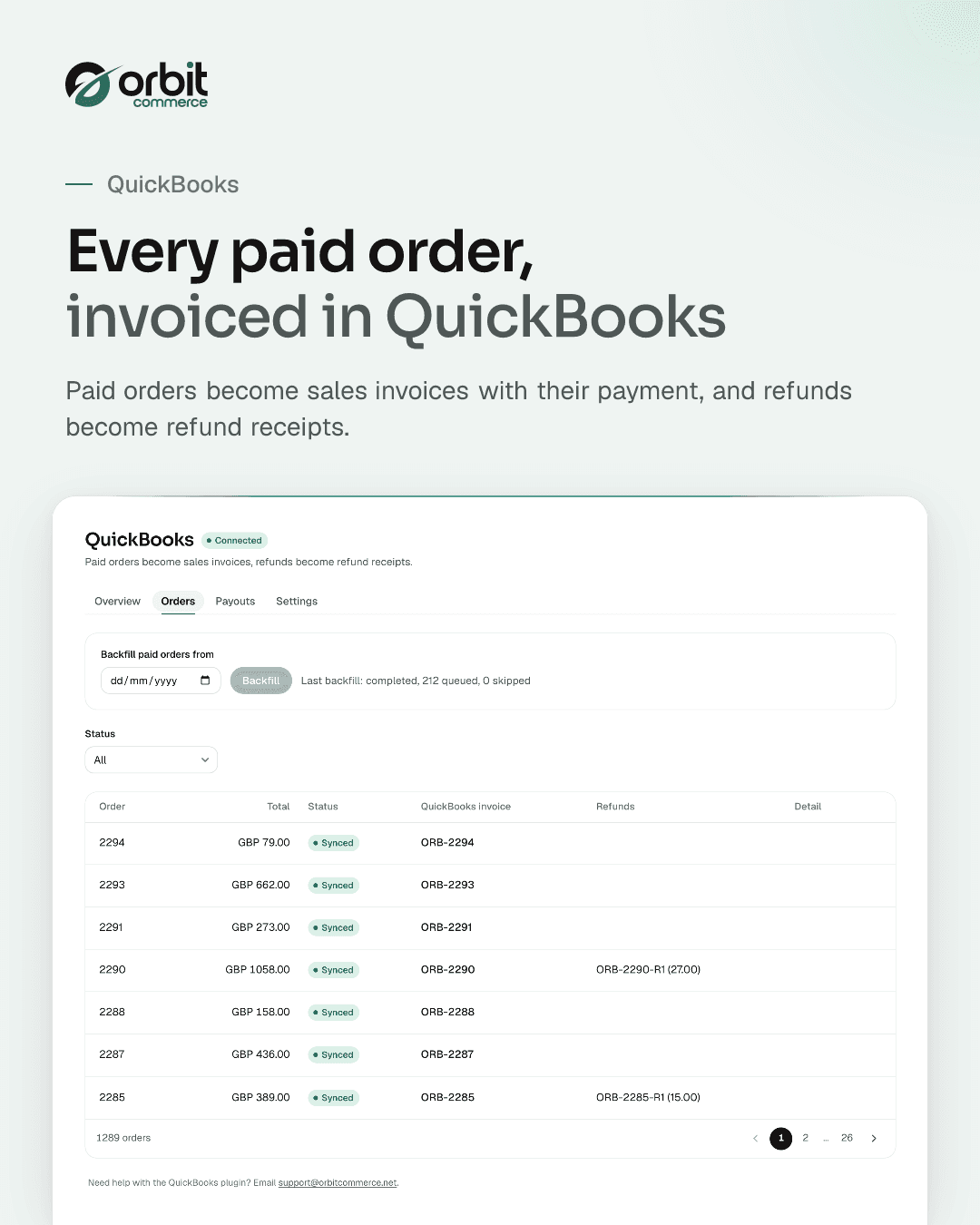
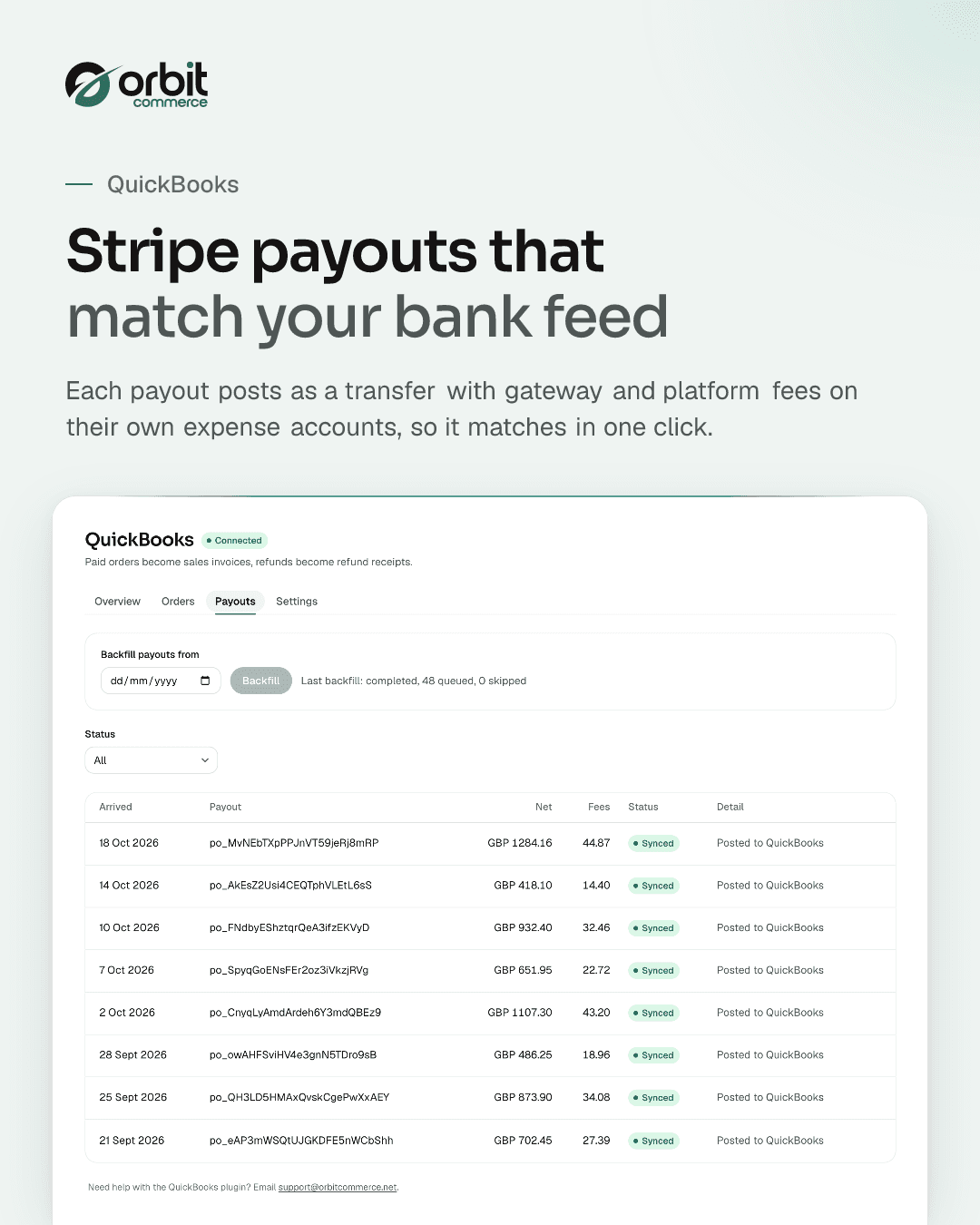
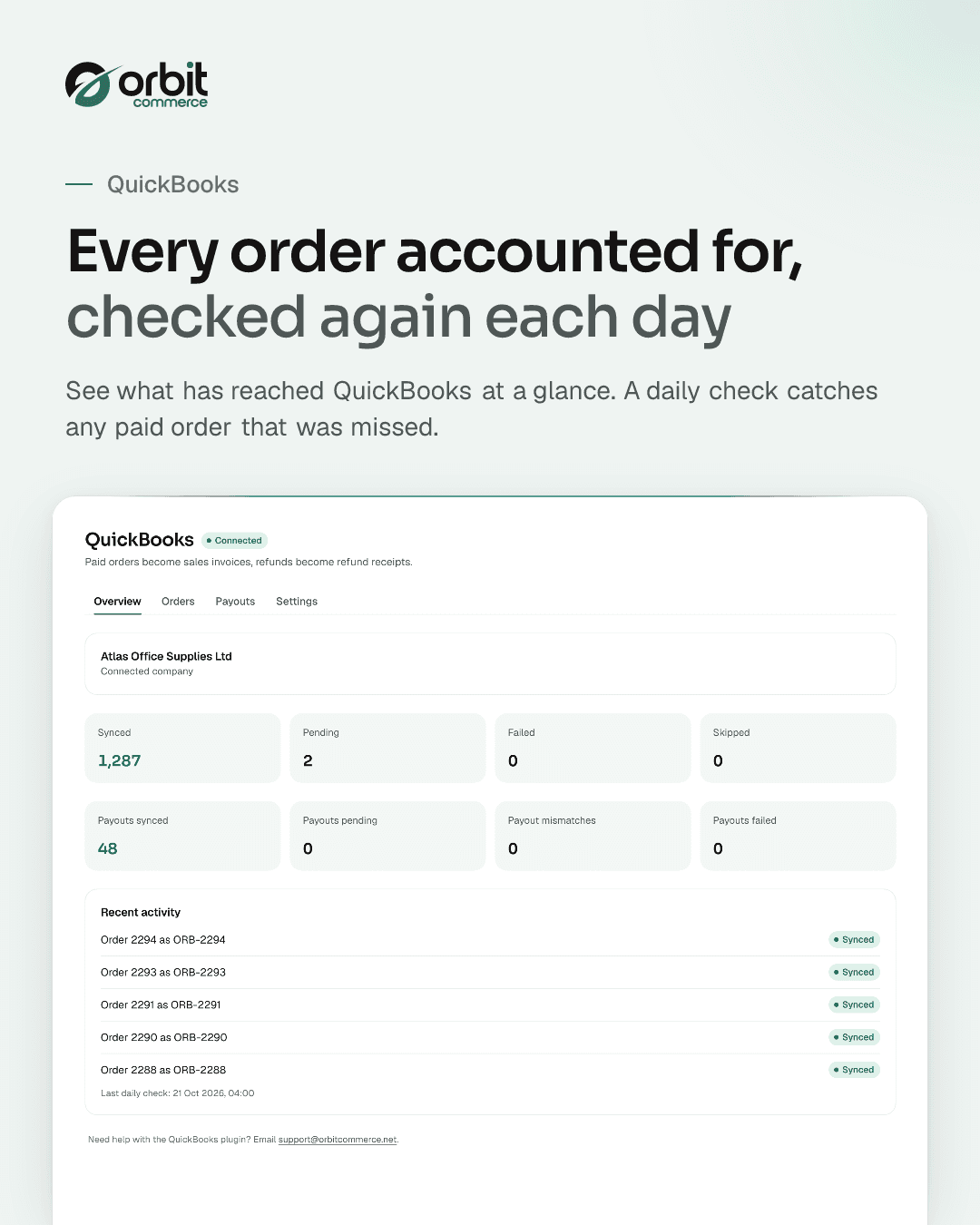
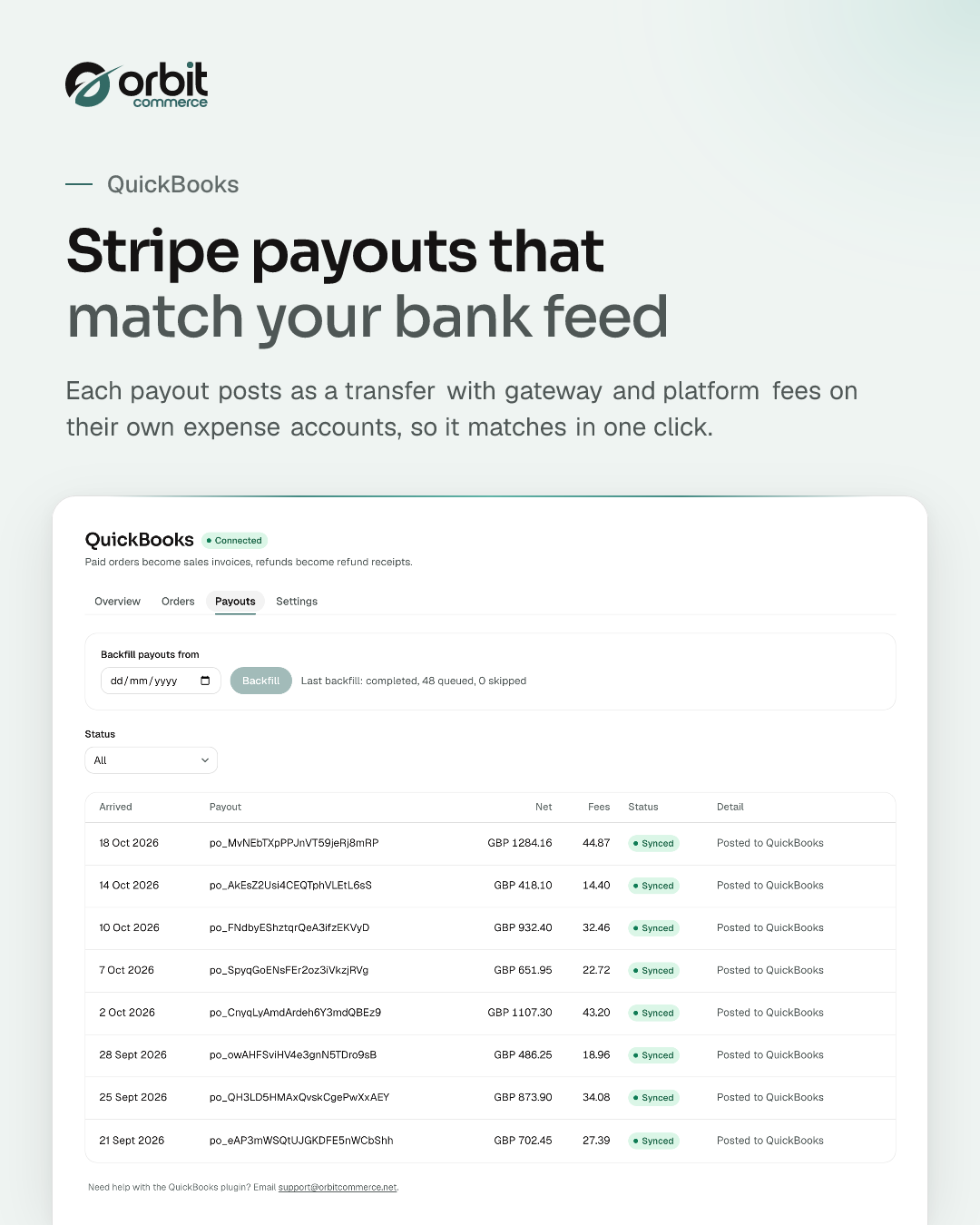
Send every paid order to QuickBooks as a sales invoice with its payment, and every refund as a refund receipt. Map accounts and VAT codes once and reconcile from a clearing account. Stripe payouts are posted as transfers with gateway and platform fees split onto their own expense accounts, and the plugin emails you if a payout does not reconcile or the QuickBooks connection breaks.
What you get
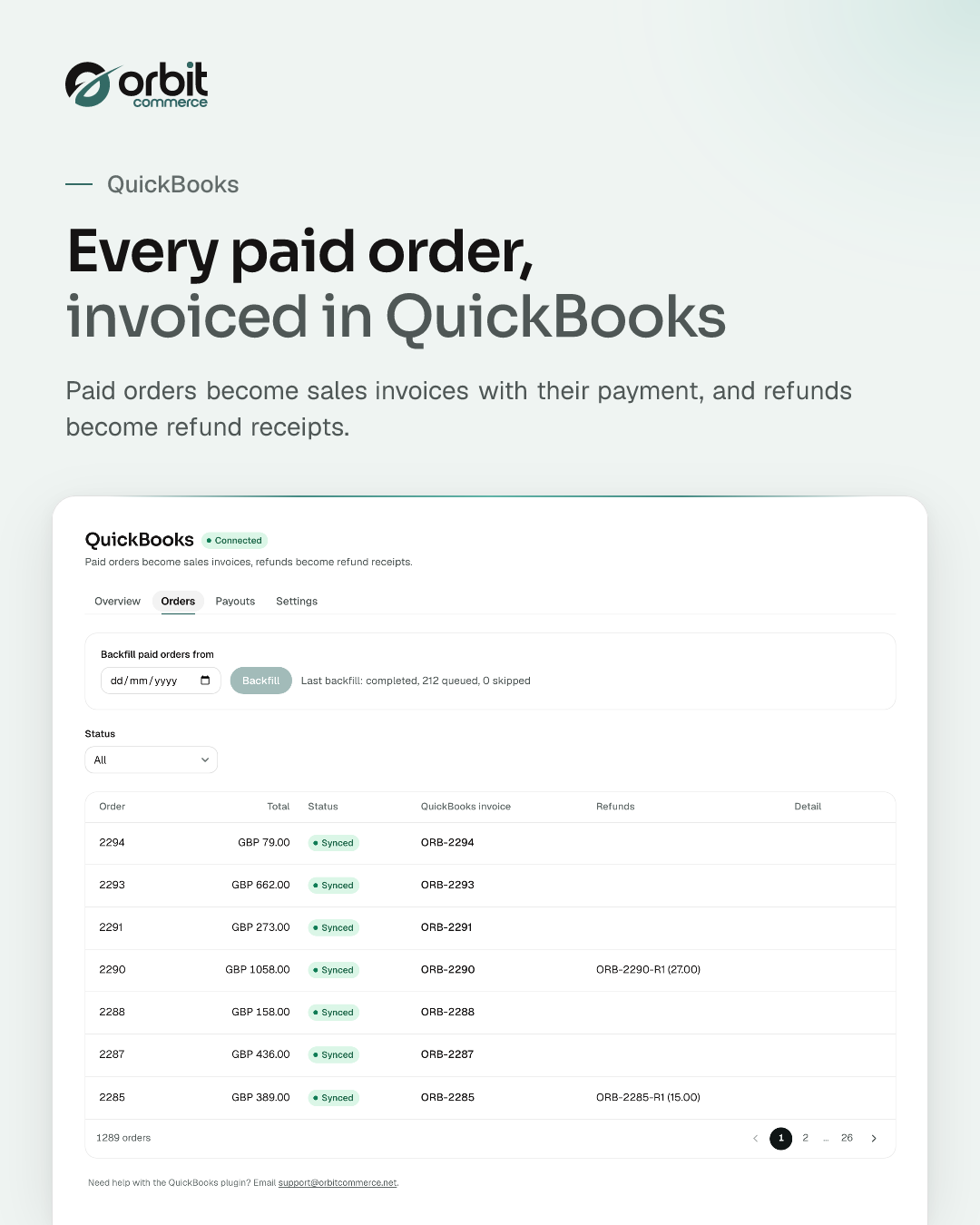
- Paid orders become QuickBooks sales invoices with payments
- Refunds become refund receipts paid from the clearing account
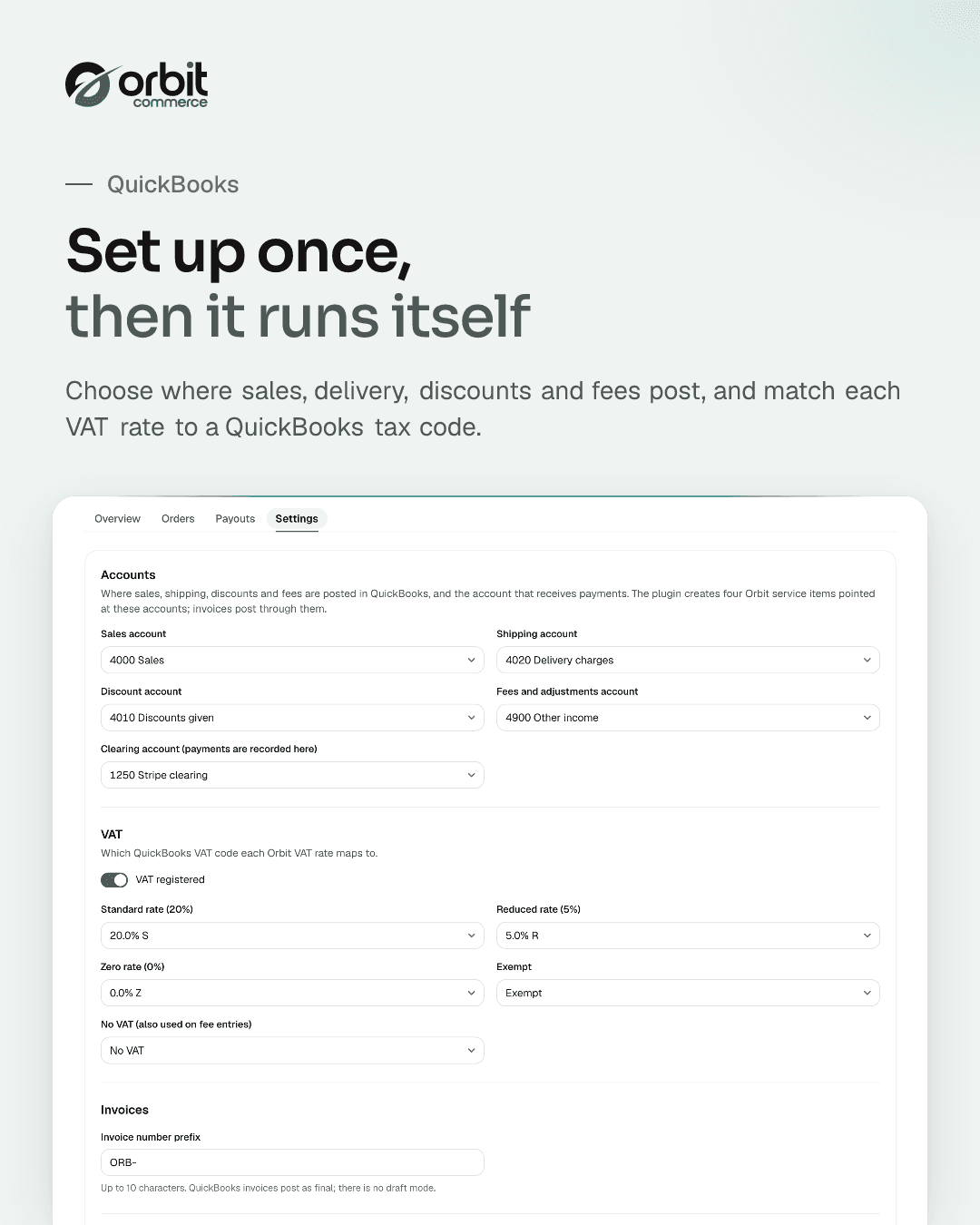
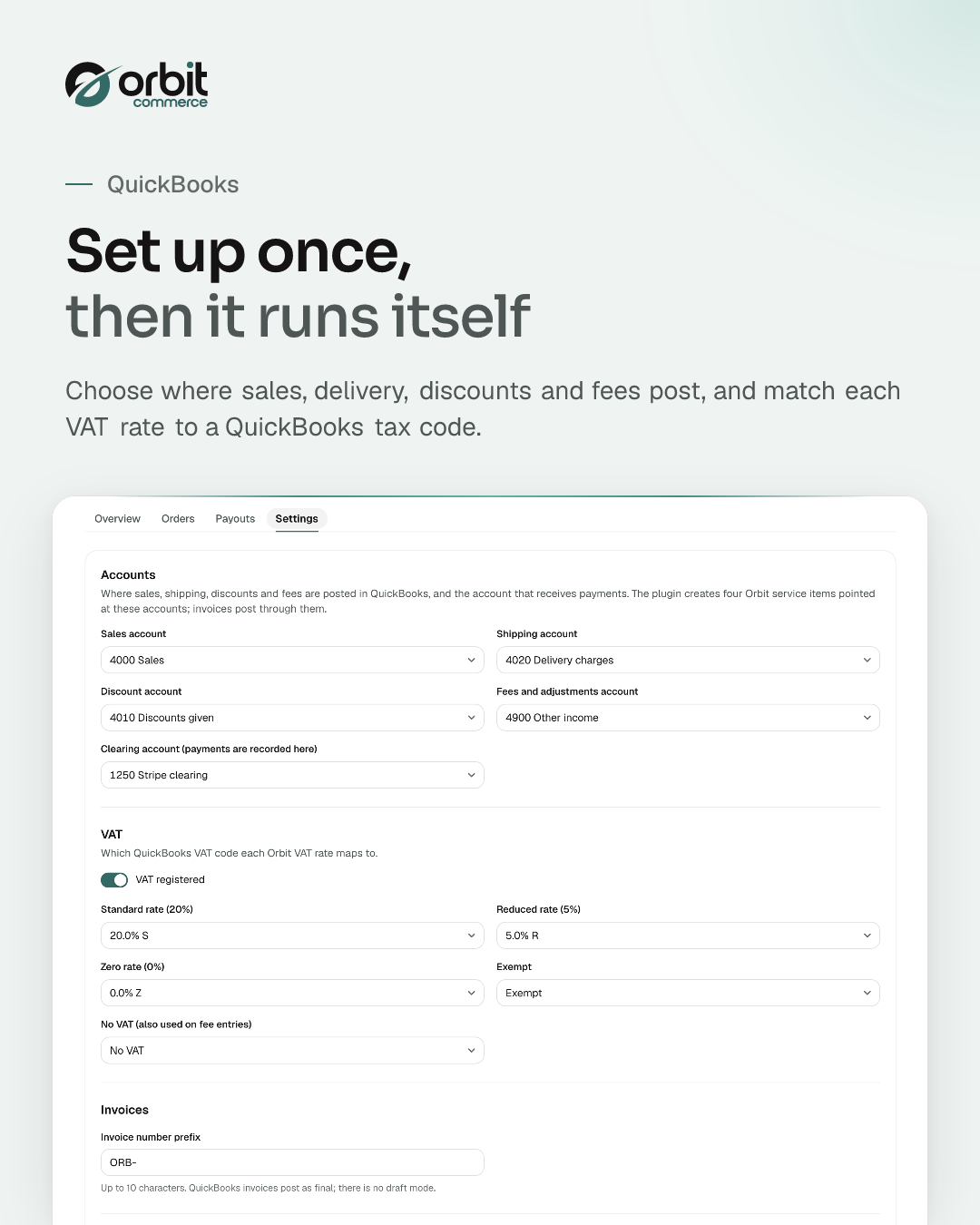
- Account and VAT code mapping from your QuickBooks company
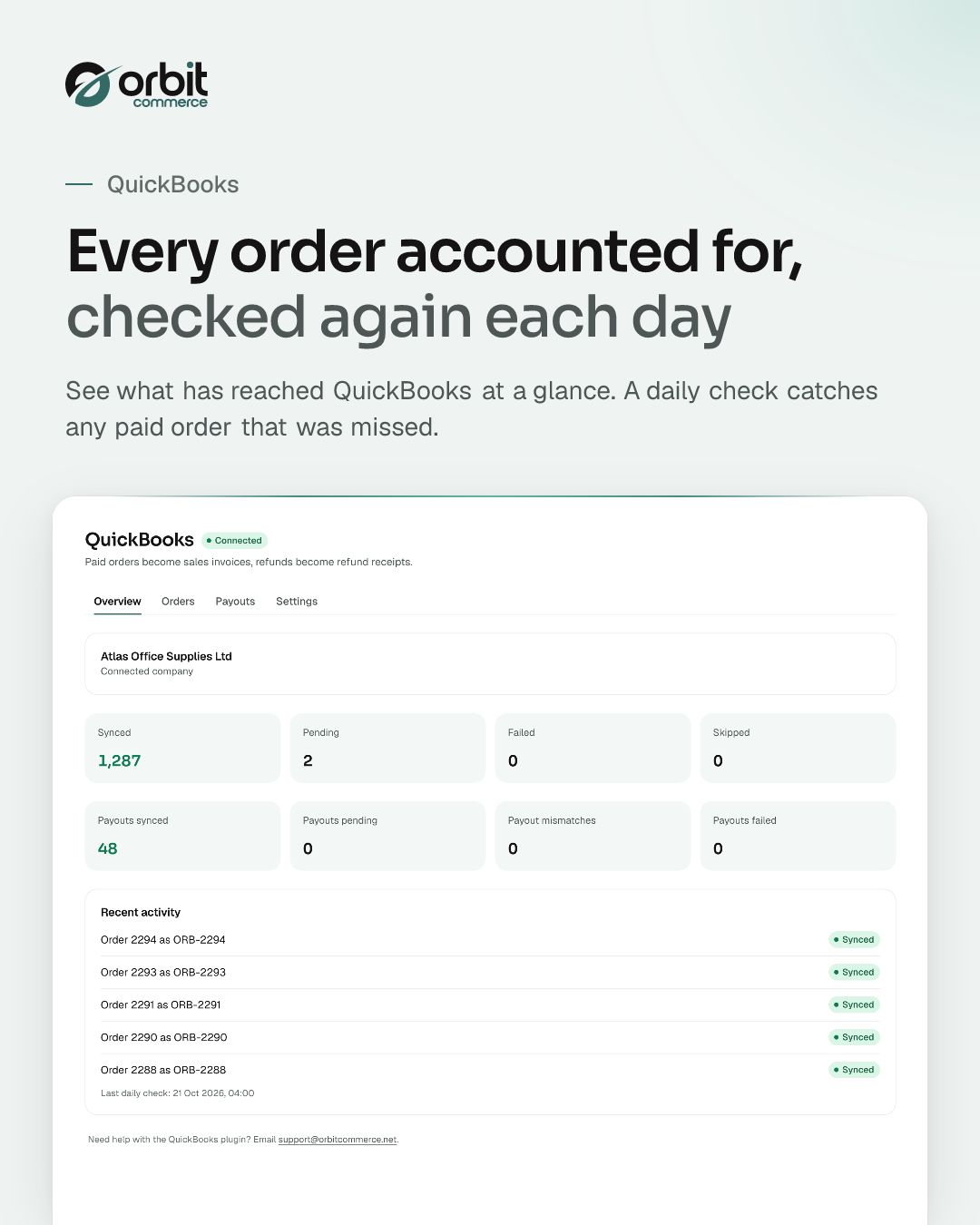
- Backfill from any date and a daily missed-order check
- Stripe payouts posted as transfers with fees split out
What it can see and change
When you install QuickBooks, it asks to:
Read only
- See your orders, with their totals and status
- See one order in full, including the buyer and delivery address
- See the list of customers who have shopped with you
- See one customer in full, including their contact details and past orders
- See the settings it saves for your store, and your store's name, primary domain and live custom domains, storefront URL, currencies and timezone, and the site verification codes on your storefront
- See which other systems your store is set up to send events to
- See whether those systems are receiving what you send them, and what went wrong when they did not
- See its plans and your current subscription to it
- See when Stripe pays you out, with the amounts
- See which orders and fees are inside each payout
Can make changes
- Start sending your store events, including orders with customer names and addresses, to another system on the internet
- Stop sending events to another system; this cannot be undone and the connection has to be set up again from scratch
- Start a plan change that you confirm in the payment window
- Send email through your store's verified sender
Uninstalling removes its access.
Questions
More plugins to try
Xero
NewXero accounting sync: invoices, payments, credit notes and payout reconciliation
Google Reviews
Show your Google Business rating and reviews on any page
Loyalty Points
Reward registered customers with points on every paid order, redeemable for products you choose
Orbit CRM
Pipelines, deals and customer timelines, right in your dashboard
Live Chat
Real-time customer chat on your storefront, answered from your dashboard
3D Product Configurator
Interactive 3D product viewer that switches finish when shoppers pick an option
Product Sheets
Branded PDF spec sheets and catalogues your customers can download
Product Reviews
Add customer reviews and ratings to boost trust and sales






Open your shop. Add QuickBooks.
Every plan starts with a two-week trial, and plugins install on any plan, so QuickBooks can be there from day one.