
Import/Export
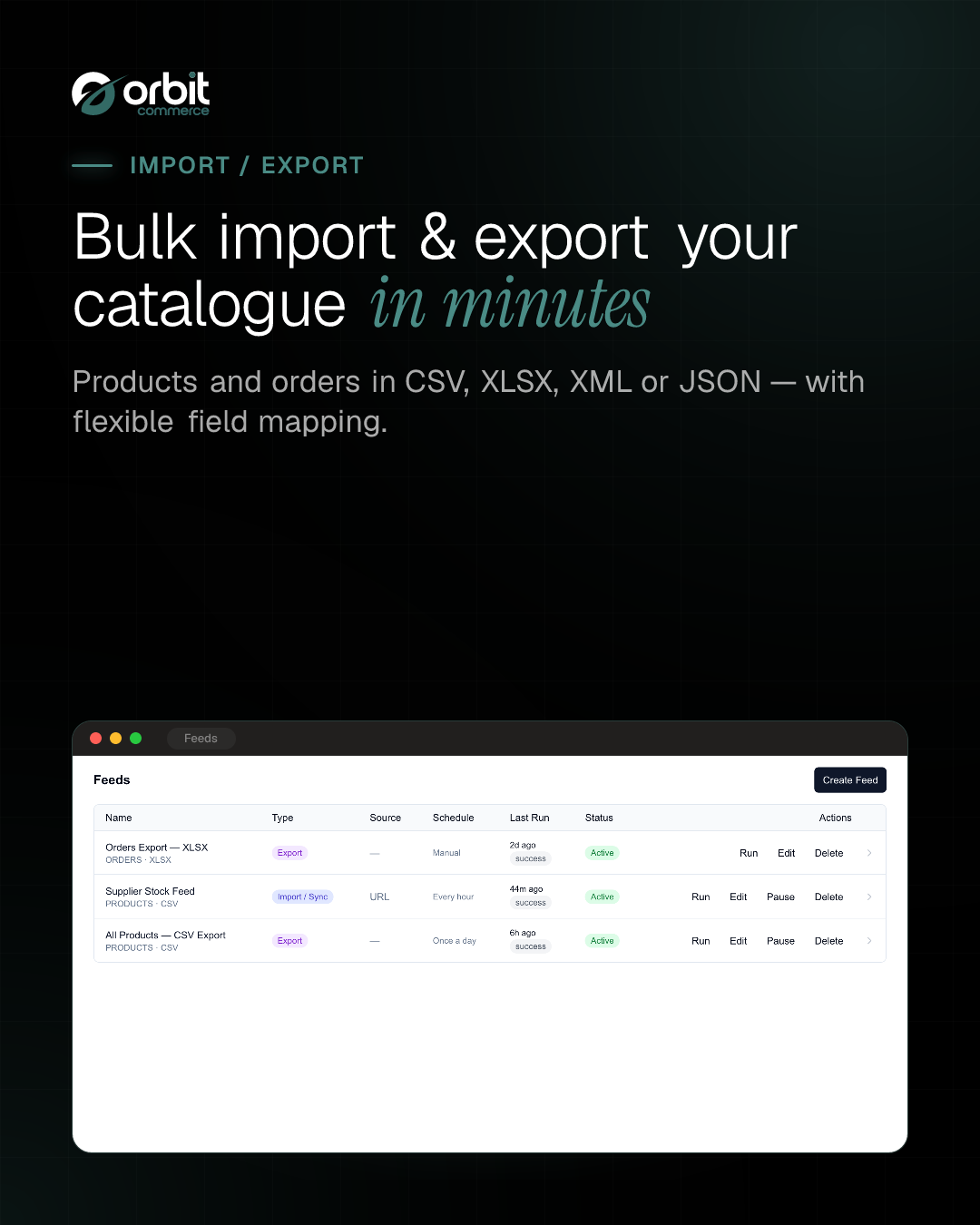
Bulk product import and export, plus order export
Made by Orbit Commerce, built, supported and billed by Orbit
Opens your Orbit dashboard to confirm.
No card needed for the trial. If you do not subscribe when it ends, you are not charged and it goes back to the free plan.
No Orbit store yet? Start for free
- Free trial
- 14 days
- on paid plans
- After install
- Import/Export
- in your dashboard menu
- Listed
- Jan 2026
- version 1.0.0
About
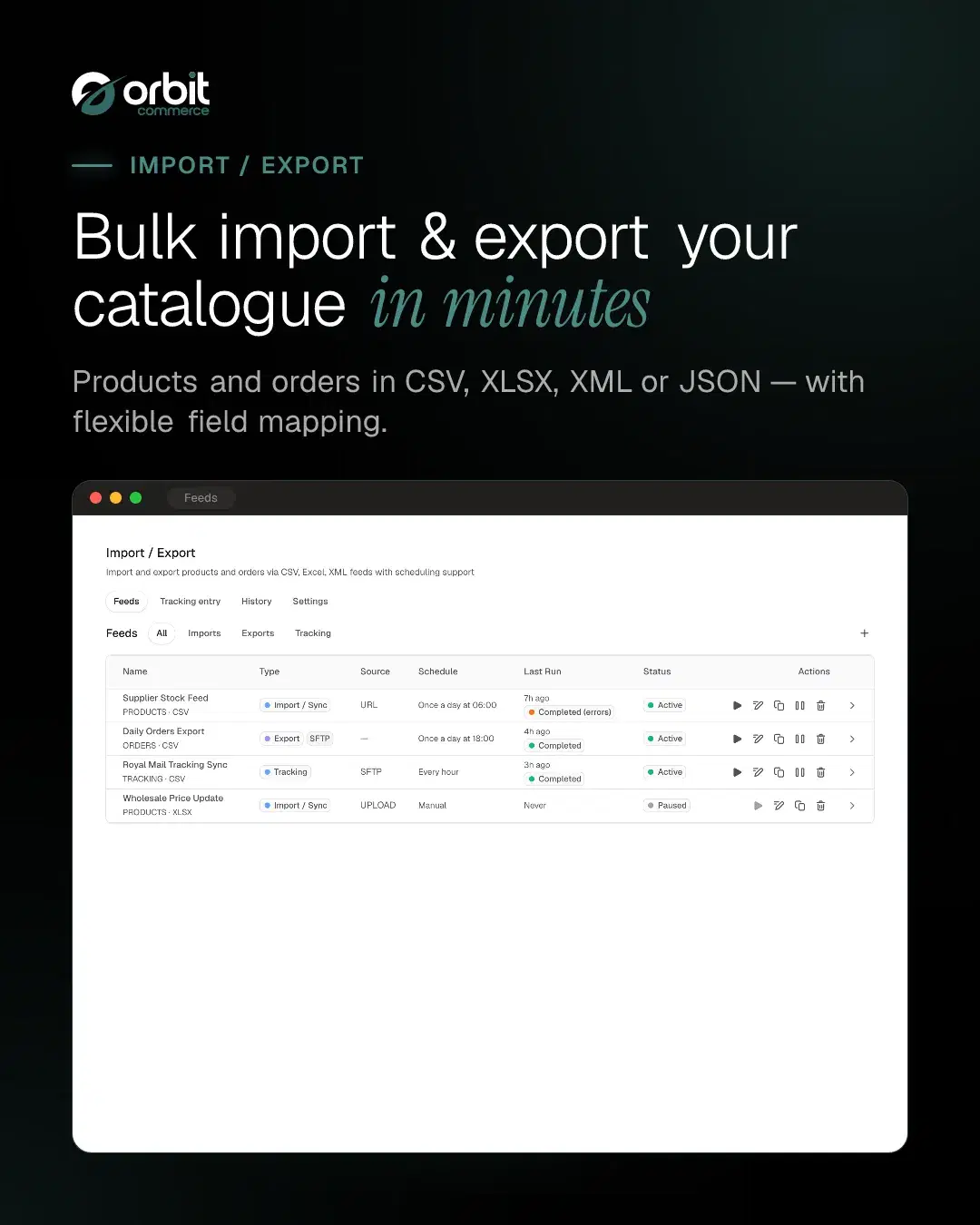
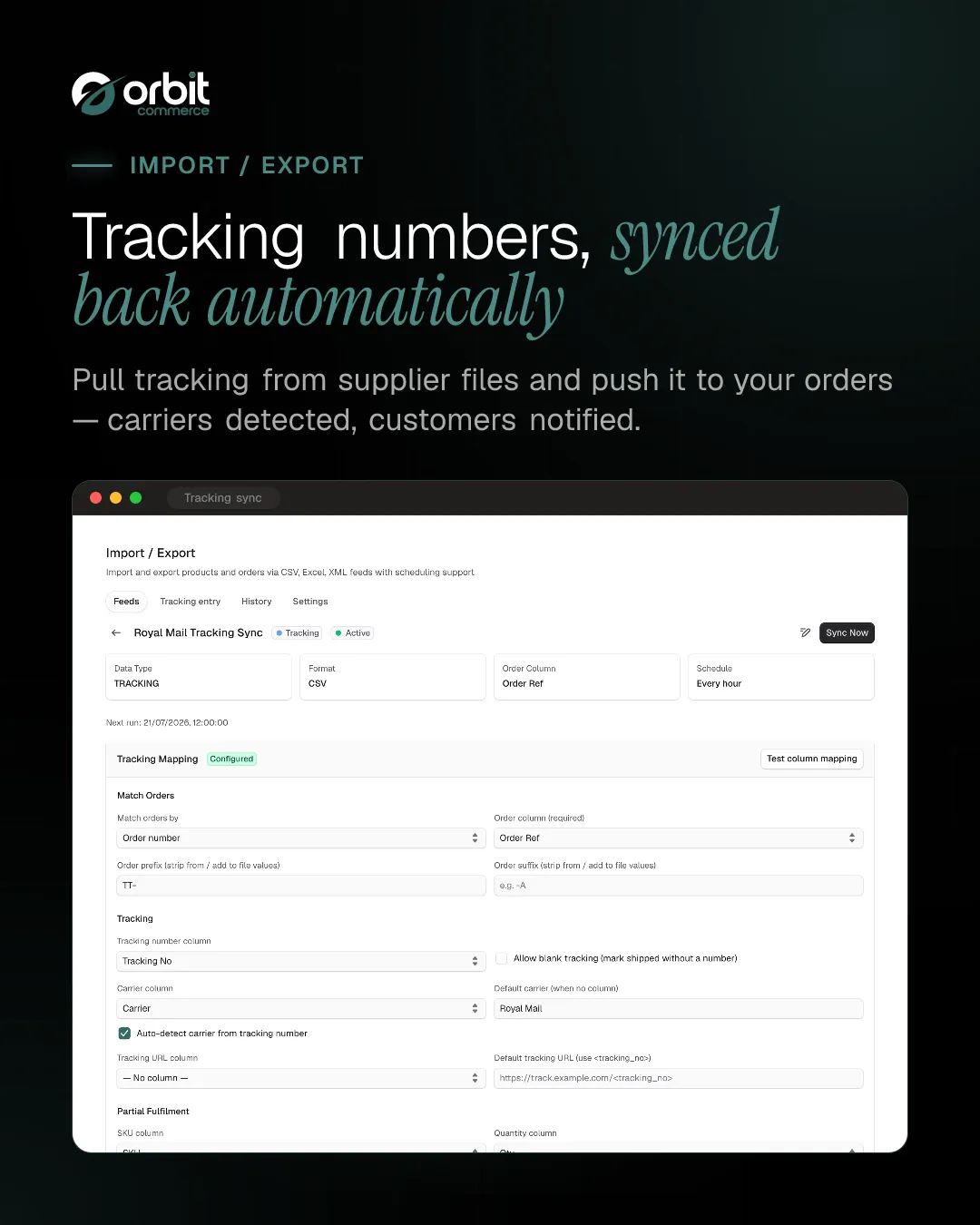
Import and export tool for products, with order export. Supports CSV, XLSX, XML and JSON files, with URL, SFTP and file upload sources. Schedule automatic imports and exports with flexible field mapping.
What you get
- CSV / XLSX / XML / JSON import and export
- URL / SFTP / file upload sources
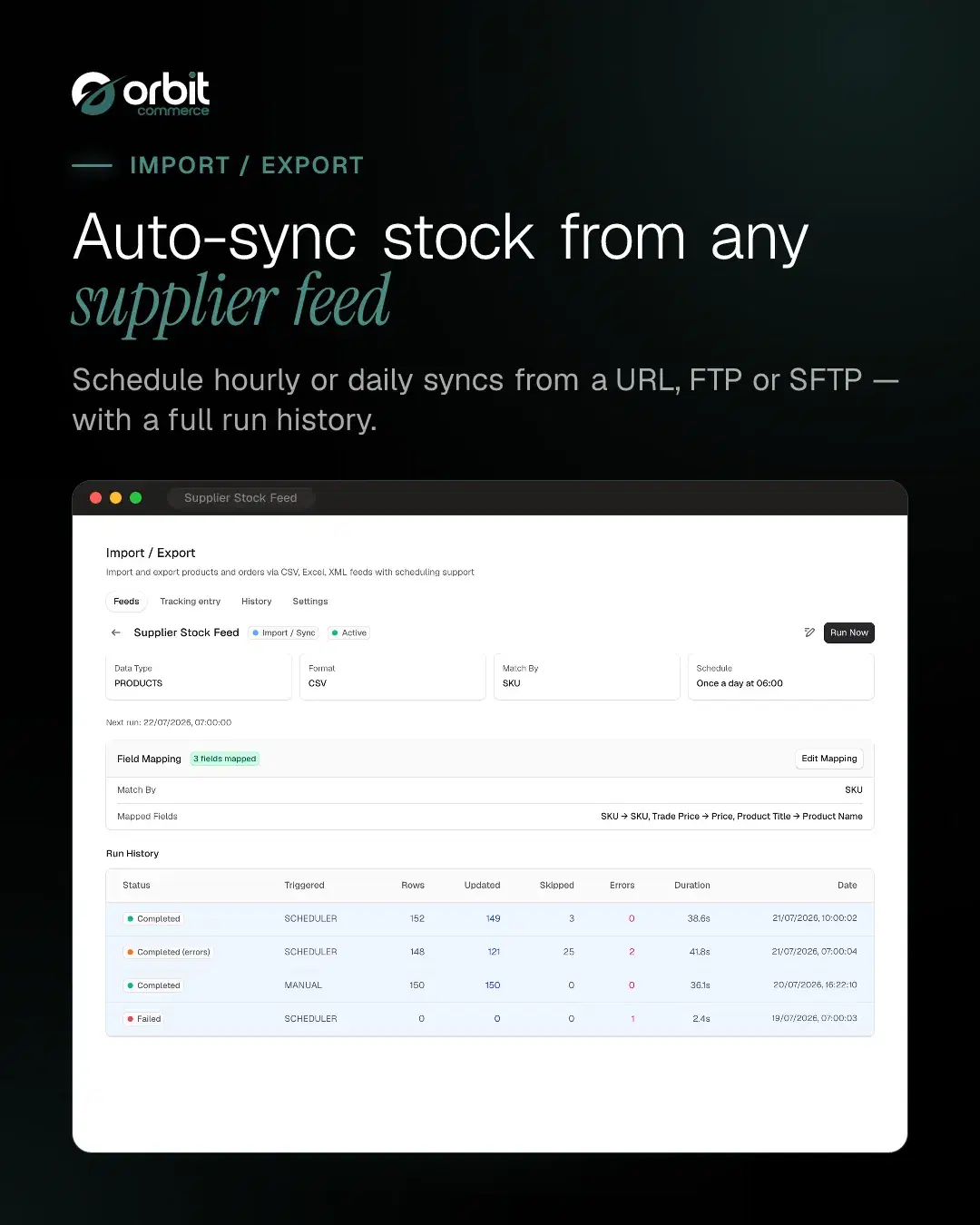
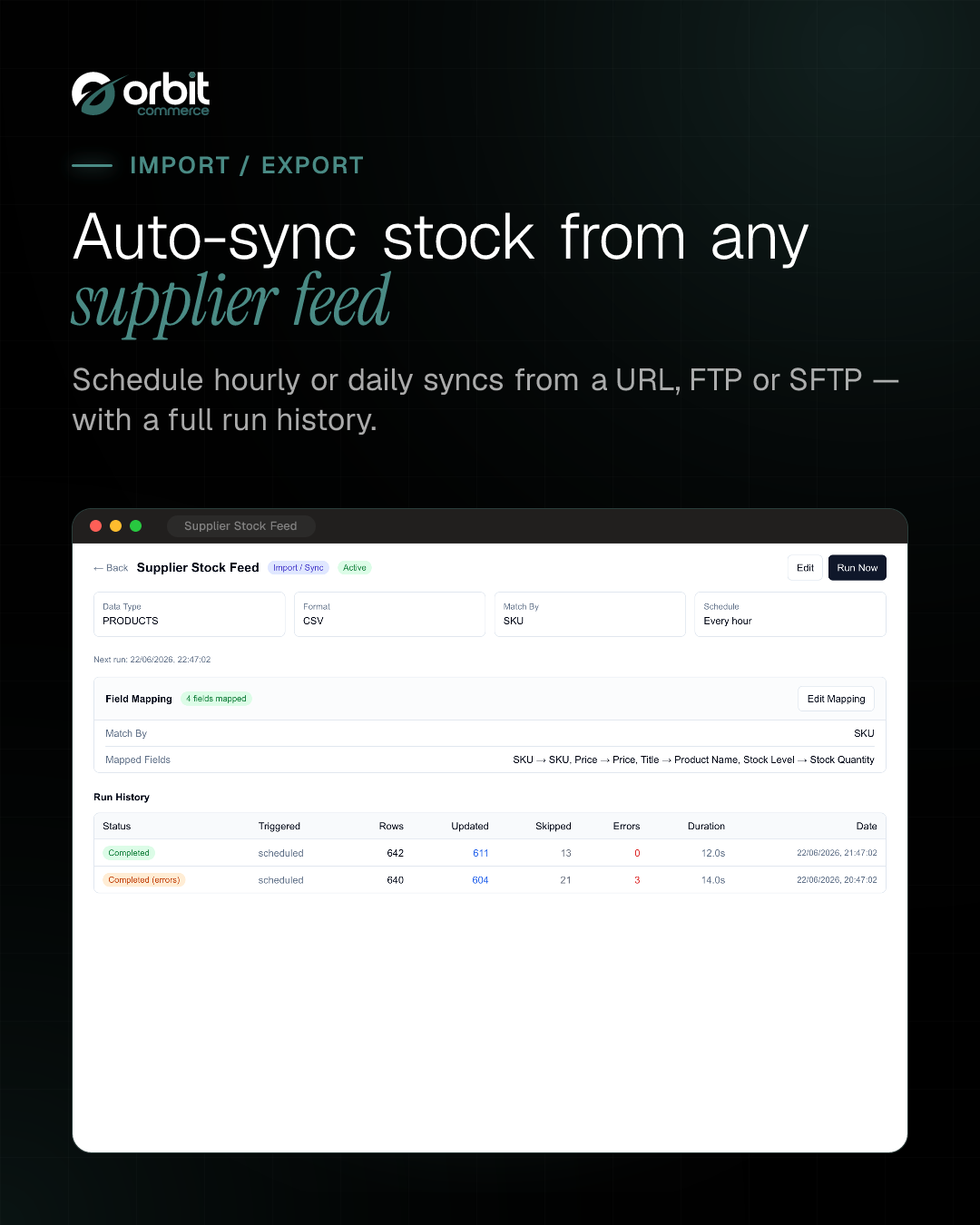
- Scheduled imports and exports
- Flexible field mapping
- Bulk product create and update
- Per-row import logs
Getting started
From the Import/Export docs.
- Open the Orbit Commerce dashboard and go to Plugins.
- Find Import/Export in the plugin store and install it. When prompted, approve the requested permissions; the plugin needs to read and change products, read orders and read your store settings.
- Once installed, open Import/Export from the dashboard menu. The Feeds page lists every import and export you have set up.
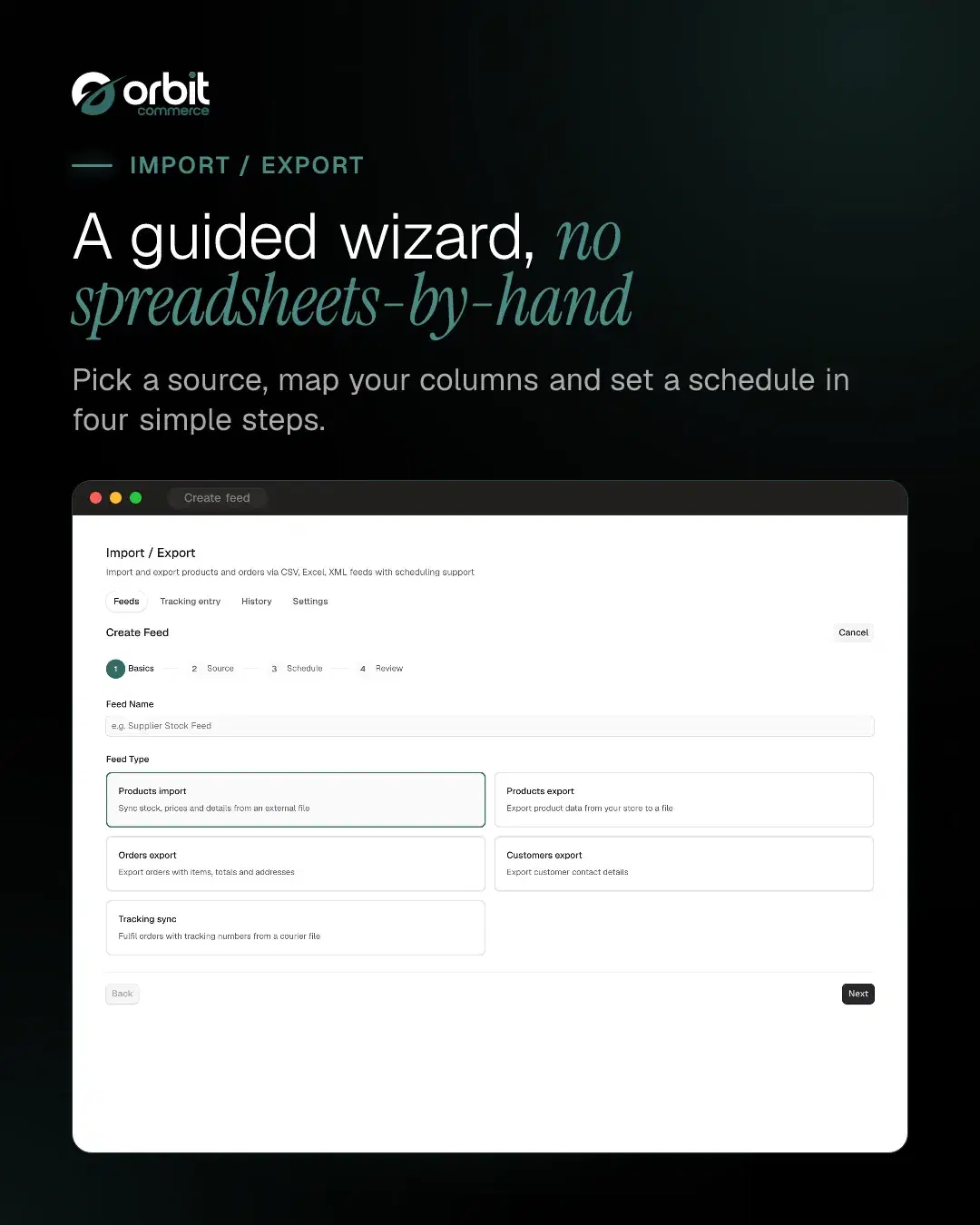
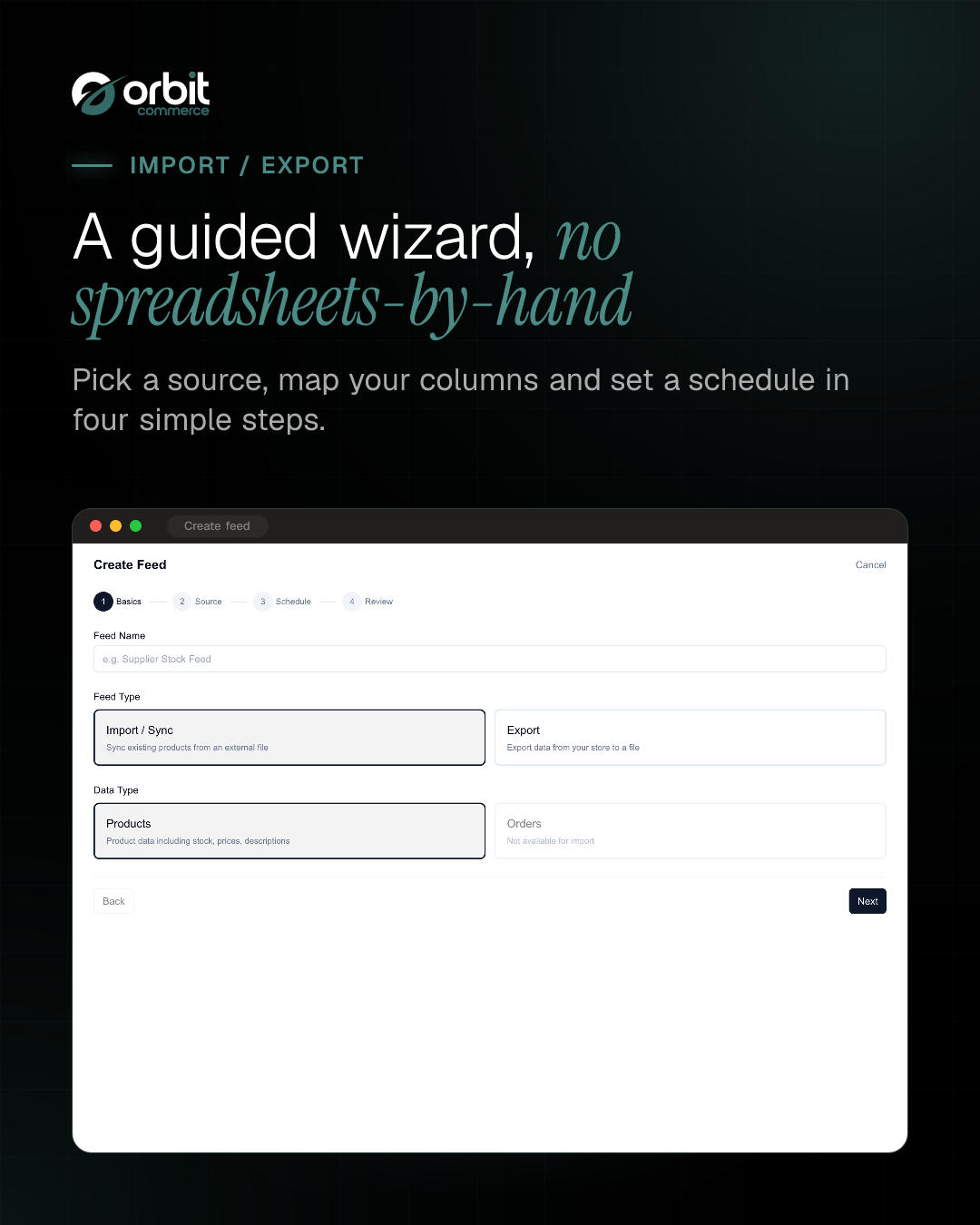
- Select Create feed to open the setup wizard, which walks you through the feed's basics, its source and a review before you save. Field mapping comes next, on the feed's own page.
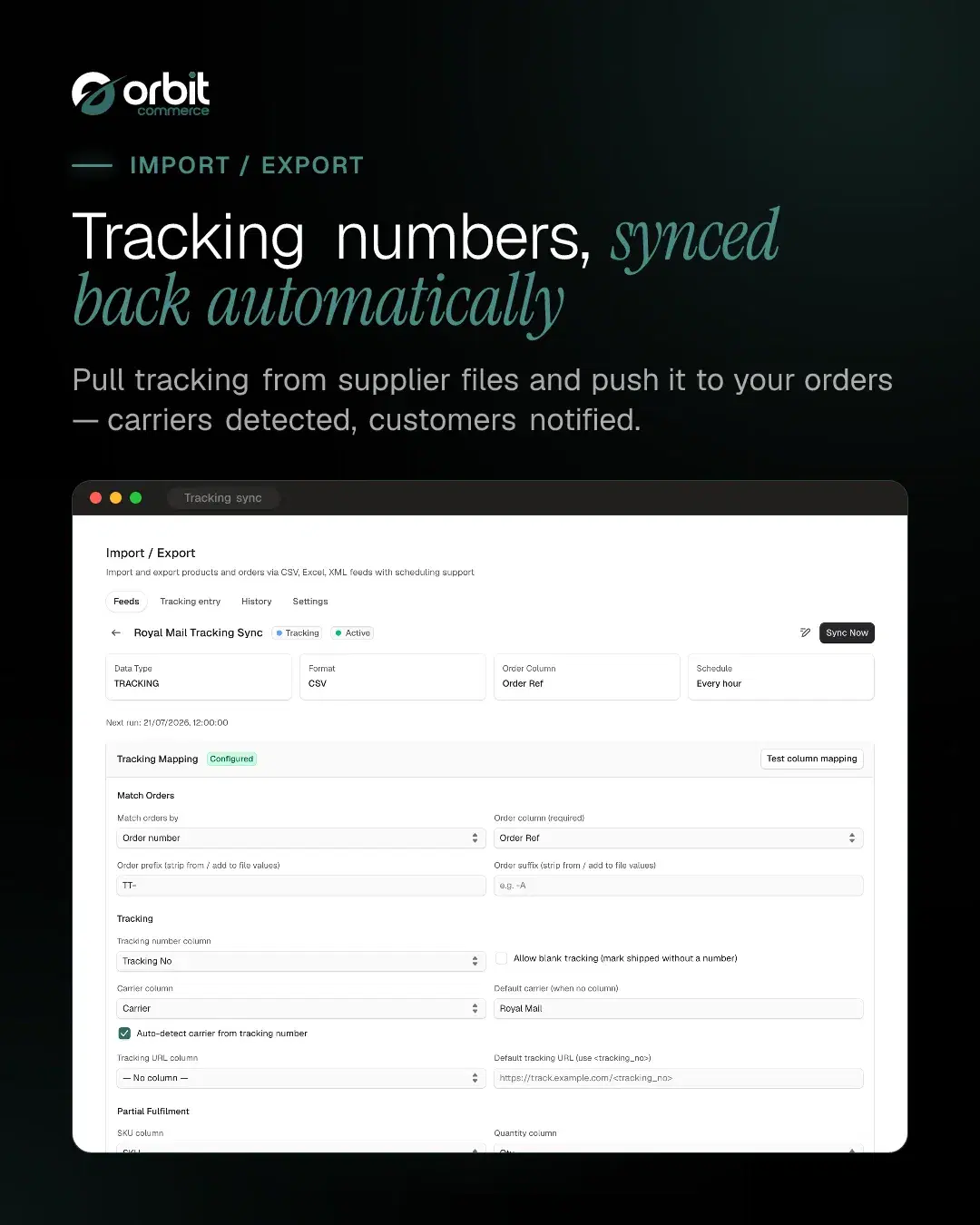
- After saving, map your fields and run the feed once manually to confirm it behaves as expected. If your plan includes scheduling, you can then set it to repeat.
What it can see and change
When you install Import/Export, it asks to:
Read only
- See the products in your catalogue, with prices and stock
- See everything stored about one product and its variants
- See your orders, with their totals and status
- See one order in full, including the buyer and delivery address
- Read its own settings for your shop, including your store name, primary domain and live custom domains, storefront URL, geography and currencies, and the site verification codes on your storefront
Can make changes
- Add new products to your catalogue
- Change existing products, including their prices and whether shoppers can see them
Uninstalling removes its access.
Questions
More plugins to try
Google Reviews
NewShow your Google Business rating and reviews on any page
Loyalty Points
Reward registered customers with points on every paid order, redeemable for products you choose
Orbit CRM
Pipelines, deals and customer timelines, right in your dashboard
Live Chat
Real-time customer chat on your storefront, answered from your dashboard
3D Product Configurator
Interactive 3D product viewer that switches finish when shoppers pick an option
Product Sheets
Branded PDF spec sheets and catalogues your customers can download
Product Reviews
Add customer reviews and ratings to boost trust and sales
Workflows
NewVisual automations: triggers, conditions, delays and actions







Open your shop. Add Import/Export.
Every plan starts with a two-week trial, and plugins install on any plan, so Import/Export can be there from day one.